Whole Slide Imaging (WSI) is a groundbreaking technology that is transforming the field of pathology. By digitizing entire glass slides, WSI enables pathologists to view and analyze high-resolution images on a computer screen, thereby enhancing diagnostic accuracy and efficiency. This innovative approach not only facilitates remote consultations and second opinions but also seamlessly integrates with digital pathology workflows, paving the way for the development of personalized medicine.
The significance of WSI in medical diagnostics cannot be overstated. It provides a platform for the storage, sharing, and analysis of digital slides, offering unprecedented opportunities for education, research, and clinical practice. As pathology departments worldwide adopt this technology, leading digital pathology companies like Landing Med are at the forefront of this shift, making traditional pathological diagnosis more convenient and collaborative than ever before.
The transition from traditional microscopy to Whole Slide Imaging requires pathologists to undergo a learning curve, although the steepness of this curve can vary depending on factors such as prior experience with digital tools, the complexity of the WSI system, and the level of training and support provided. Initially, pathologists may need to familiarize themselves with the whole slide imaging scanner interface and software, learning how to navigate and manipulate digital slides, as well as effectively utilize the software's features. They may also need to adapt to interpreting digital images, identifying digital artifacts, and understanding the limitations of WSI. Many pathologists find that once they adapt to the new technology, WSI enhances their workflow. They can easily share slides for consultation, integrate digital pathology data with other health records, and use digital tools for annotation and measurement, all of which offer significant advantages.
Comprehensive training is crucial when transitioning to WSI to address the learning curve. Training should include technical instructions on using the system and guidance on interpreting digital images. Access to technical support during the adaptation period can also be highly beneficial. Although there is a learning curve, with the right support and resources, pathologists can effectively adapt to WSI.
The hardware and software requirements for WSI largely depend on the chosen scanner and the workflow in use. However, several common elements should be considered in all whole slide imaging setups:
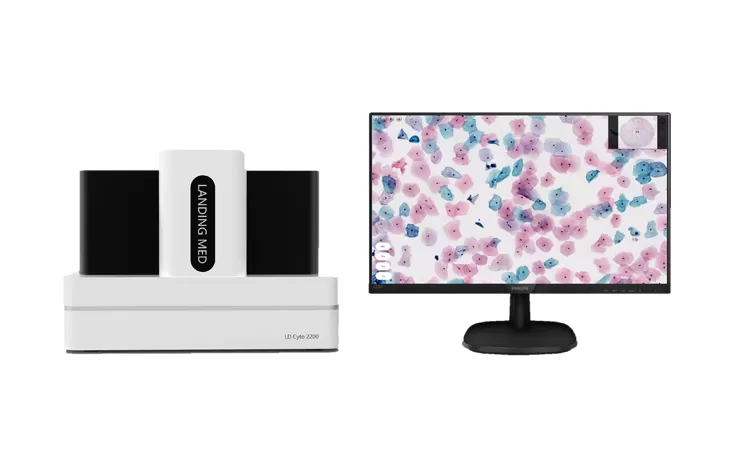
Slide Scanner: These specialized devices, often referred to as a digital pathology slide scanner, capture high-resolution images of pathology slides and come in various sizes and capacities, from single-slide scanners to high-throughput devices capable of scanning hundreds of slides simultaneously.
Storage Solutions: WSI generates large amounts of data, necessitating robust storage solutions. This may involve local servers or cloud storage, depending on the lab's needs and resources. The chosen solution must be robust, secure, and capable of quickly handling large data transfers.
Monitors: High-resolution monitors are recommended to effectively display detailed WSI images. Displays used in digital pathology should preferably have a resolution of at least 2K (2560 x 1440 pixels), with 4K monitors becoming increasingly common.
Network Infrastructure: Reliable, high-speed network connectivity is crucial for the transmission and access of large image files. Labs must have a robust network infrastructure, ideally with high-speed broadband or fiber optic connections.
Integration Capabilities: To improve workflows, consider how to integrate various devices and software to streamline the digital pathology setup.
Additionally, successful implementation of WSI requires considering user training, system maintenance, and data security. Developing a disaster recovery plan to prevent data loss is also important.
Whole Slide Imaging technology can effectively be used for various types of samples, including routine histology samples, cytology slides, and blood smears. However, there are some limitations to consider.
The quality of WSI digital images depends on the preparation of the physical slides. Some specimens, especially those that are very thick or have a high degree of three-dimensionality, can pose challenges for WSI. WSI scanners typically focus on a single plane, so specimens that exceed the depth of field may not be accurately rendered in the digital image.
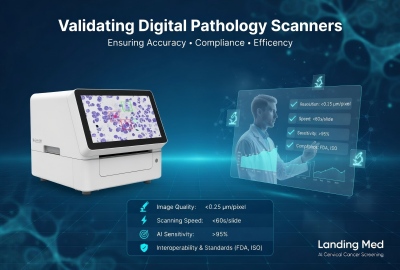
Additionally, although there have been advances in scanning speed, WSI can still be time-consuming for very large specimens or samples requiring high-resolution imaging, which may limit its use in urgent cases.
Despite these limitations, WSI technology continues to improve and has proven to be increasingly valuable in pathology. WSI allows for the creation of permanent digital records of slides, facilitates remote consultations, and supports educational and integrated diagnostic efforts, making it an attractive tool in modern pathology.


 fr
fr  es
es  CN
CN